XF27
patreon
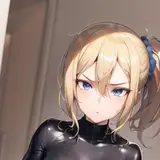
One of my favorite costume from base game!
Since there is no hope that it will be done officially, now i have remade it in high definition ^^
(pso2のコスチュームで一番好きなものの一つ!
公式でリメイクされる見込みがないので
自分で高画質でリメイクしてみました^^)
===============================================================
[Ba] Decoration 1 = Hide Hip Armour ([Ba] 装飾1=脚部装甲を隠す)
[Ba] Decoration 2 = Hide Sleeves ([Ba]装飾2 = 袖を隠す)
The scarf has been made into Retem Valkys [Ou] for physics effect
(スカーフはリテムヴァルキス[Ou]にしました)
There is Hood / No Hood Version to choose from
(フード付き/フードなしバージョンから選択可能)
===============================================================
There is 3 version included, choose one according to the breast size of your character
(3つのバージョンが含まれており、キャラクターの胸のサイズに応じて1つを選択してください)
Small breast 貧乳 > FlatShadow
Mid breast 普乳 > SoftShadow
Large breast 巨乳 > HardShadow
It affects the shadow strength of the chest area, not the shape
(形状ではなく、胸部の影の強さに影響します)
===============================================================
Download Link check top pinned post
(ダウンロードリンク トップの固定投稿を確認する)


Will you make a Big Booba version anytime?
FYI, the low res file affects your fashion preview and decoy in your CS. Copy and rename the file to 6b84...as XF27 suggested can solve this issue.
There was a mistake in the graphics settings on this side. We apologize for the inconvenience.
The 2 file of each version is basically a high res version and a low res version for the game to load depending on the game graphics setting, but the file is identical. I'm just thinking that maybe no one should really use the low res version :> And it make it double the file size for having 2 identical file for each version, so it will be like 1gb+ for this zip vs current ~500mb. In short 2 way to solve this You can just rename it to "6b841915651e56cb4d6be9b26d98a8b8" and place into win32 Or you could set the Texture Resolution setting of in game graphics to Highest, it will then load the "edaad19~" file as you have mentioned that you have the highest setting, make sure Texture Resolution is set on the most right side
Sorry, I don't know why this mod is not being applied. All other mods you have created are being applied, but this is only happening this time. The situation is that when I overwrote a file named edaad19~ in the data folder with a file of the same name in the compressed data, the normal costume was displayed. I did the same when I overwrote the outerwear, and it was still displayed as the original costume. Also, the graphics settings are set to the highest.
これは私も好きな衣装の一つです。ありがとうございます!!
Thank you!!! > <