barjoe01
fanbox
Hello, I think I have finally made it...
"Brj Ball Gag LoRa V1" has been released! it helps in making a good ball gag for AI anime bondage images
Trained using : Linaqruf kohya LoRa Dreambooth google collab
Model : Anything-V3.1 with anime.vae.pt
How to use and examples :
You need to have AUTOMATIC1111 Web UI installed/updated first, how to install and step by step I believe is already on the github page :
After installing, copy the downloaded LoRa to "your-sd-directory/models/Lora", also make sure you have your model checkpoint/safetensor downloaded already
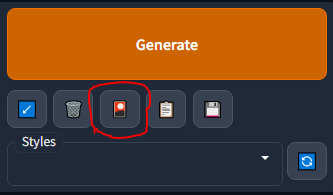
Click the third button (Show extra network) to use your Lora
Extra Guide for those who just get started to Stable Diffusion :
embed: rentry.orgExamples :
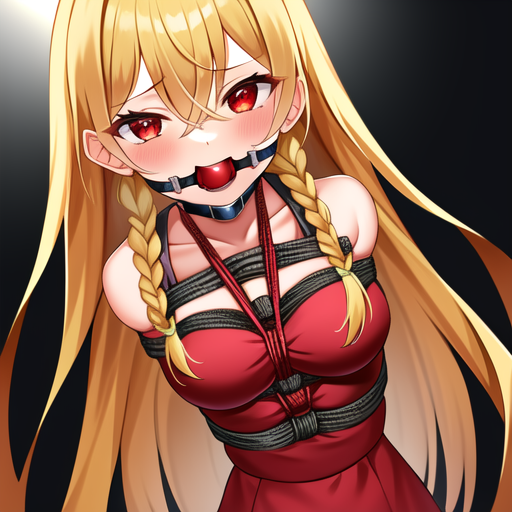
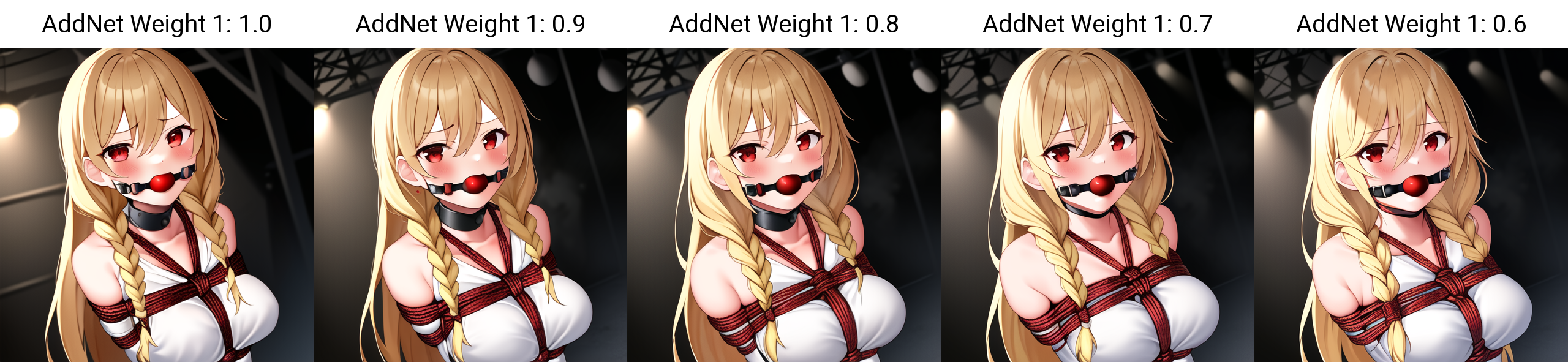
With Lora
Without Lora
Trigger word should be : brj ball gag but I think ball gag only could work
Use the Lora weight in between 1 - 0.6, example of the weight is above, but I seems to find at weight 1, the AI start to make some other part that you might don't want to be there (like random people or hand outta nowhere)
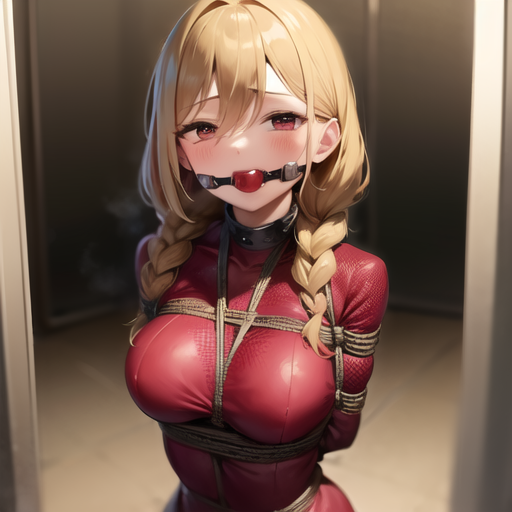
Example on different model with prompt :
AbyssOrangeMix2_hard + orangemix.vae.pt
masterpiece, best quality, ultra-detailed, 1girl, hair between eyes, crossed bangs, long hair, twin braids, blonde hair, red eyes, brj ball gag, arms behind back, bondage, bound, shibari, clubroom, perspective
Negative prompt: (worst quality, low quality:1.3), (depth of field, blurry:1.2), (greyscale, monochrome:1.1), 3D face, cropped, lowres, text, jpeg artifacts, signature, watermark, username, blurry, artist name, trademark, watermark, title, saliva
Steps: 32, Sampler: DPM++ SDE Karras, CFG scale: 7, Seed: 1943800170, Size: 512x512, Model hash: 0fc198c490, Model: AbyssOrangeMix2_hard, Clip skip: 2
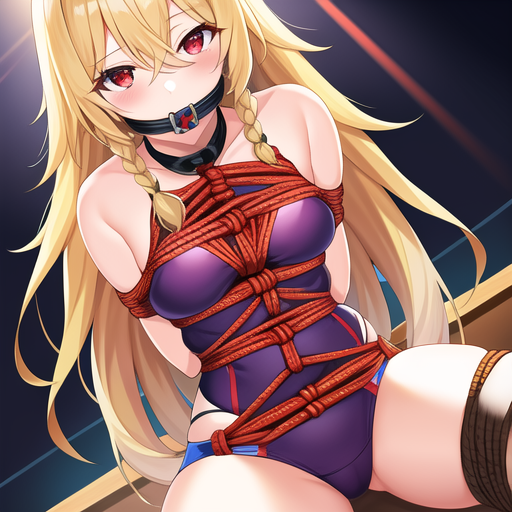
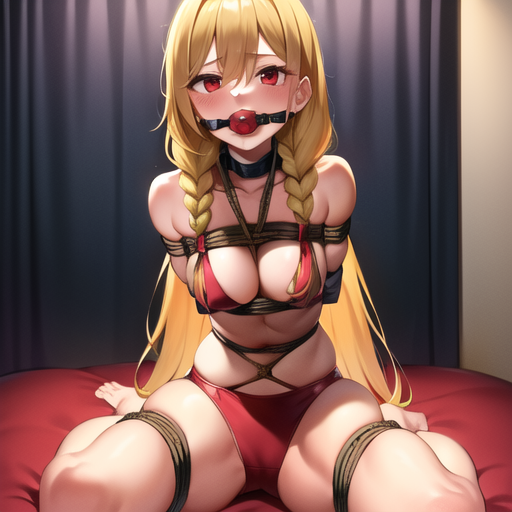
grapefruitHentaiModel_grapefruitv4 + anime.vae.pt
masterpiece, best quality, ultra-detailed, 1girl, hair between eyes, crossed bangs, long hair, twin braids, blonde hair, red eyes, brj ball gag, arms behind back, bondage, bound, shibari, hotel room, full body
Negative prompt: (worst quality, low quality:1.3), (depth of field, blurry:1.2), (greyscale, monochrome:1.1), 3D face, cropped, lowres, text, jpeg artifacts, signature, watermark, username, blurry, artist name, trademark, watermark, title, saliva
Steps: 32, Sampler: Euler, CFG scale: 11, Seed: 3132094014, Size: 512x512, Model hash: 37a86dca58, Model: grapefruitHentaiModel_grapefruitv4, Clip skip: 2
Some extra notes :
- It tends to make ball gag with saliva in default, you can put saliva in the negative prompt or put saliva too in the prompt to actually show it if it doesn't
- I'm still exploring and learning this Lora method too so if you have any input or suggestion, I would gladly hear it from you
- Although it is not really necessary to credit when using my LoRa but thank you very much for doing so, I really appreciate it 🙇♂️
- More notes if I remember what else to write
What I'm planning to do next :
- This is Version 1, so there's a chance that I will keep continue to develop this more, I want it to be as detailed as possible without overfit any other parts, some better tagging as I feel some of them isn't well tagged, maybe more dataset (?)
- I heard that you can put a whole concept into 1 Lora, so that means 'maybe' I can put a better shibari, gag, bondage poses overall a much detailed better bondage concept in 1 Lora? we'll see
- Smaller file size if this will only be 1 Lora (I've already lowered this from the standard 150MB-ish size, but maybe I can make it to 1MB?)
Download here :
Let me know if you making some anime bondage images with this! I would like to see, thank you!~


The one model you've been using is not anime based model so it's hard to get the anime output, I recommend to start with this model : Anything-V3 (https://huggingface.co/AdamOswald1/Anything-Preservation/tree/main) The model hash and etc is just an information just in case you want to try the same output as the example image, so no need to think too much about that VAE is actually optional, you can get the VAE in the link I give or try to not to use it too is fine it seems... also I've added an extra rentry link above to help get started, try to check that out
appologies i missed something you wrote earlier and i was using the wrong model, that being said, where do i get ahold of the anime.vae.pt, cant find it anywhere
thanks for the help, doesnt quite work right yet none on the images come out looking anything like anime girls and dont look good at all, i think its because im missing something, earlier where you said Model hash: 37a86dca58, Model: grapefruitHentaiModel_grapefruitv4, Clip skip: 2 i cant see anywhere to input this, also the beginners guide you mentioned said novelai was needed, is this true? what is the main model your using? im using v1-5-pruned-emaonly.safetensors
You need the main model (that's on top left of web UI), sometimes VAE (that you can set in setting), and this LoRa file How to load, you can download the main model first, search the model that you like on internet, then save it in your "sd-folder/models/Stable-diffusion" then run the Web UI when it's loaded, just follow the step above to include the Lora
how do i load the safetennors file using the web UI? trying to wrack my brain around this, do i still need training images or is it all in the brj ball gag file